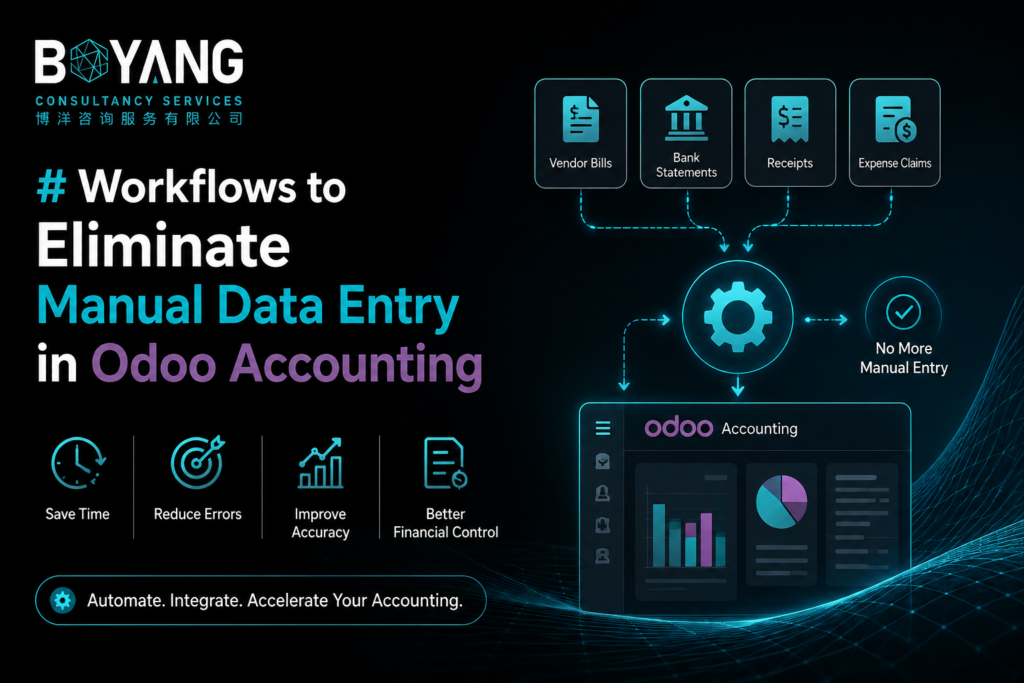
fManual data entry is the single biggest time sink in most finance teams. Every invoice typed by hand, every bank line matched manually, and every expense logged one at a time adds up to hours lost every week. Odoo Accounting gives you the tools to remove that work almost entirely. This guide walks through the workflows that make manual data entry unnecessary and shows you how to set them up.
Why Manual Data Entry Costs You More Than Time
Manual entry does not just slow your team down. It introduces errors that ripple through your books. A misread invoice number, a duplicated bill, or a typo in an amount can throw off your reconciliation and your reporting. Every hour spent retyping data is an hour your accounting team is not spending on analysis or planning.
Odoo Accounting was built to close this gap. The platform connects your bank, your vendors, your customers, and your documents into one system, so numbers flow in automatically instead of being typed twice.
Automate Vendor Bills with AI-Powered Document Recognition
Odoo reads vendor bills and receipts using optical character recognition and automatically fills in the vendor, amount, date, and line items. You upload a PDF or scanned image, and Odoo creates a draft bill with the details already populated. You only need to review and confirm it.
This removes the need to manually key in supplier invoices one by one. For businesses that process dozens or hundreds of bills a month, this workflow alone can save several hours a week.
To use it, forward your vendor invoices to your dedicated Odoo email alias or upload them directly into the Vendor Bills screen. Odoo processes the document, extracts the data, and links it to the matching purchase order if one exists.
Set Up Bank Synchronization for Automatic Reconciliation
Manually matching bank transactions to invoices and bills is repetitive and error-prone. Odoo connects directly to your bank account and pulls transactions in automatically, usually once a day.
Once transactions are in the system, Odoo suggests matches based on amount, reference number, and partner name. You confirm the match instead of searching for it. Over time, Odoo learns your reconciliation patterns and gets better at suggesting the right match on its own.
If your bank does not support direct synchronization, you can still import a statement file and let Odoo apply the same matching logic. Either way, you stop entering each transaction by hand.
Use Recurring Entries for Predictable Transactions
Rent, subscriptions, loan payments, and other fixed costs do not need to be entered every month. Odoo lets you set up recurring journal entries and recurring vendor bills that generate automatically on a schedule you define.
Set the frequency, the amount, and the accounts involved once. After that, Odoo creates the entry on time, every time, without anyone touching the system. This is especially useful for subscription-heavy businesses or companies with multiple fixed monthly obligations.
Connect Your Sales and Inventory Systems Directly
If you use Odoo Sales, Point of Sale, or Inventory alongside Odoo Accounting, invoices and journal entries generate automatically based on real transactions. A confirmed sales order can trigger an invoice. A delivery can trigger a cost of goods sold entry. None of this requires a bookkeeper to open a blank form and start typing.
This is where Odoo’s advantage over standalone accounting software becomes clear. Because every app runs on one database, a sale in one module updates your books in real time, without export files, CSV uploads, or manual re-entry.
Automate Customer Invoicing with Recurring Plans and Triggers
For subscription billing or retainer-based work, Odoo can generate customer invoices automatically based on a contract or subscription plan. You define the billing frequency, the amount, and the customer once. Odoo issues the invoice and can even send it by email without anyone touching the record.
This removes a task that many finance teams still do manually every billing cycle, and it reduces the risk of a missed or late invoice.
Use Expense Scanning for Employee Reimbursements
Employees can photograph a receipt using the Odoo mobile app, and the system reads the amount, vendor, and date automatically. The expense report is created without the employee or the finance team typing anything in. Once approved, the expense flows directly into the accounting ledger.
This workflow cuts out one of the most tedious parts of expense management: transcribing paper receipts into a spreadsheet or form.
Set Up Automated Follow-Ups for Overdue Invoices
Chasing overdue payments is another task that often eats into manual hours. Odoo lets you configure automated payment reminder sequences based on how overdue an invoice is. Emails go out on the schedule you set, with no one needing to track due dates in a spreadsheet.
Getting Started
You do not need to implement every workflow at once. Start with the two that save you the most time today, usually vendor bill scanning and bank synchronization, since these tend to carry the highest manual workload. Once those are running smoothly, add recurring entries, then expense scanning, then automated invoicing.
Odoo Accounting is designed so that data enters your books once, at the source, and flows everywhere it needs to go. Every workflow above exists to keep your team focused on reviewing and approving, not retyping.
Frequently Asked Questions
Does Odoo Accounting work with all banks for automatic synchronization? Odoo supports direct synchronization with thousands of banks worldwide. If your bank is not supported, you can still import statement files and use the same automated matching tools.
How accurate is the AI document recognition for vendor bills? Accuracy improves the more you use it, since Odoo learns from your corrections. Most businesses see high accuracy after the first few dozen bills, especially with vendors they work with regularly.
Can Odoo Accounting handle multi-currency transactions automatically? Yes. Odoo applies exchange rates automatically based on the date of the transaction and can pull live rates from external providers.
Is manual review still needed after automation is set up? Yes, and it should be. Automation removes typing, not oversight. Your team still confirms matches, approves bills, and reviews entries before they post, which keeps your books accurate while cutting the manual workload.