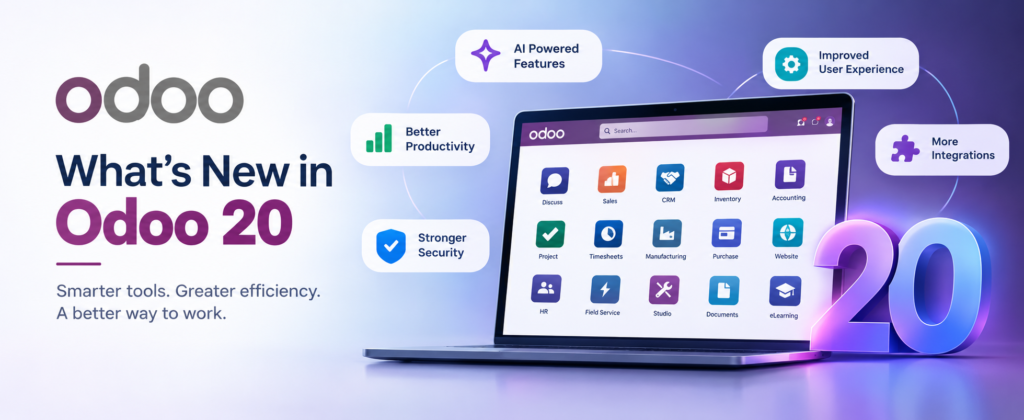
Odoo 20 launched on 24 September 2026. Fabien Pinckaers unveiled it in the opening keynote of Odoo Experience in Brussels. The release changes more than 50 apps. This guide covers the Odoo 20 new features, explains what each one means for your team, and gives you a clear upgrade plan.
Odoo 20 at a Glance
|
Item |
Detail |
|
Release date |
24 September 2026 |
|
Unveiled at |
Odoo Experience, Brussels |
|
Scope |
Changes across more than 50 apps |
|
Headline features |
AI agents, native MCP server, offline mode, simpler access rights, accounting updates |
|
New licence |
Light User, from €7.90 per month in Europe |
|
AI pricing |
Credits bought through In-App Purchase (IAP) |
AI Agents in Odoo 20
AI in Odoo 20 does work instead of only answering questions. Agents now create and update records on your behalf.
- Agents create records from instructions, including a PDF. A client specification becomes a project with tasks.
- Agents update existing records.
- Agents run on a schedule or when an automation rule triggers. You review each run in the automation chat.
- Agents ask for your permission when they reach their tool call limit.
- You dictate requests by voice.
- Odoo picks the AI model for each task.
Odoo 20 also adds two assistants. The AI accounting agent gives you insights based on the accounting data in your database. The AI Website Assistant creates pages, edits snippets, adds images, and builds forms and menus.
AI credits
Every AI feature in Odoo 20 needs credits. You buy them through In-App Purchase. Odoo’s pricing page states no plan includes IAP credits. Treat AI as a separate, usage-based cost in your budget.
Native MCP Server
MCP stands for Model Context Protocol. It is the standard AI tools use to talk to other software. Odoo 20 includes a native MCP server, so assistants such as Claude or ChatGPT connect directly to your database.
The server respects user access rights and is read-only by default. One Odoo partner reports that once you enable write actions, the AI changes records without approval and Odoo keeps no audit log. Decide who gets write access before you switch it on.
Offline Mode
Users create, edit, archive, unarchive, delete and search records without a connection. Odoo applies the changes once the connection returns. Field staff and warehouses with weak Wi-Fi benefit most. Test your custom modules in offline scenarios before go-live.
Simplified Access Rights
Odoo 20 removes record rules. The domain now sits on the access right itself. A standard database becomes easier to manage. A database with custom record rules needs developer time. This is the change most likely to affect your upgrade effort.
Accounting Changes
- Bank consistency. Everything touching a bank account starts from a bank transaction.
- Parent accounts replace account groups in the chart of accounts.
- Bill line prediction fills vendor bills from history and labels.
- Customer invoice reminders run manually or automatically.
- Reconciliation works against several accounts at once.
- Asset models are simpler and support depreciation by rate.
- You pay bills from Odoo where your bank and country support it.
- Multi-ledger consolidation improves for groups with several companies.
New Features Across Business Apps
- CRM: lead distribution rules, a pipeline switcher per team, and upsells or renewals created from a lead’s subscriptions.
- eCommerce: AI product editing, returns through the portal, preferred delivery dates, minimum order quantities, automatic unpublishing when stock runs out, WhatsApp abandoned cart messages and automated cross-sell suggestions.
- Inventory: CMR documents, suggested minimum stock, and intercompany resupply routes. Cross-company purchase order matching also arrives.
- Manufacturing: weekly planning and continuous production.
- Point of Sale: presets for dine-in, take-out and delivery.
- Marketing Automation: visual, conditional journeys replace linear sequences.
- Project: a profitability dashboard, custom KPIs and a Timesheet Assistant.
- HR: a photo at check-in, automatic check-out and overtime rulesets.
- Mobile: swipe down on the home screen to open command search. Date pickers slide up from the bottom.
- Interface: Material Symbols icons replace Font Awesome, so your training screenshots will look outdated.
Light User Licence and Pricing
Odoo 20 introduces the Light User, a lower-cost user type for employees with limited access.
|
Light User accesses |
Light User does not access |
|
Own Time Off, Expenses, Appraisals and Attendances |
Sales |
|
Referrals |
Purchase |
|
Planning and Field Service |
Projects |
|
Inventory Barcode Operator |
Accounting |
|
Read-only Knowledge |
|
|
Payslips, Point of Sale and Shop Floor as an employee |
List prices start at €7.90 per month in Europe. Odoo’s pricing page shows US$8.90 in the United States, £7.00 in the United Kingdom and Rs 195 in India. To get the Light User price, you must run Odoo 20 and sign a new Enterprise agreement.
Odoo also changed its other plans in Europe. The One App Free plan and the Standard plan stay the same. The Custom plan rises 20% for new users. Existing Custom users see an increase of up to 7% per year at renewal. Prices differ by country, so ask your Odoo partner for a quote in your region.
Odoo 20 Upgrade Guide
Should you upgrade now?
- New implementation: scope it on Odoo 20. First confirm every third-party module you need has an Odoo 20 release.
- Live database on Odoo 18 or 19: test first. Do not move production in the first weeks.
- Odoo 17 users: Odoo plans to end standard support for Odoo 17 in September 2026. Start planning your move now.
Seven steps to upgrade
- Request a test upgrade on a copy of your database. Odoo also runs a free Odoo 20 test environment.
- Review custom modules for framework, ORM, view and JavaScript changes.
- Rewrite security definitions that rely on record rules.
- Check integrations, including APIs, payment gateways and eCommerce connectors.
- Validate accounting setup, inventory valuation, reports and your country localisation with real transactions.
- Test full workflows, including offline, warehouse and hardware scenarios.
- Pick a go-live date away from month end and tax filing dates.
Price your AI credits and Light User licences before you rely on either.
Odoo 20 FAQ
When was Odoo 20 released?
Odoo released Odoo 20 on 24 September 2026 at Odoo Experience in Brussels.
What are the biggest new features in Odoo 20?
AI agents that create and update records, a native MCP server, offline mode, simplified access rights, accounting updates and the Light User licence.
Is AI included in the Odoo 20 subscription?
No. All AI features need credits bought through In-App Purchase.
Does the access rights change affect my custom modules?
Yes, if your modules define record rules. Odoo 20 removes them, so your developers must rework the security.
Planning your move to Odoo 20? Our team reviews your modules, tests the upgrade and sets your go-live date.