An ERP system runs your finance, inventory, sales, purchasing, and reporting from one platform. The wrong choice costs you years of work and a large budget.
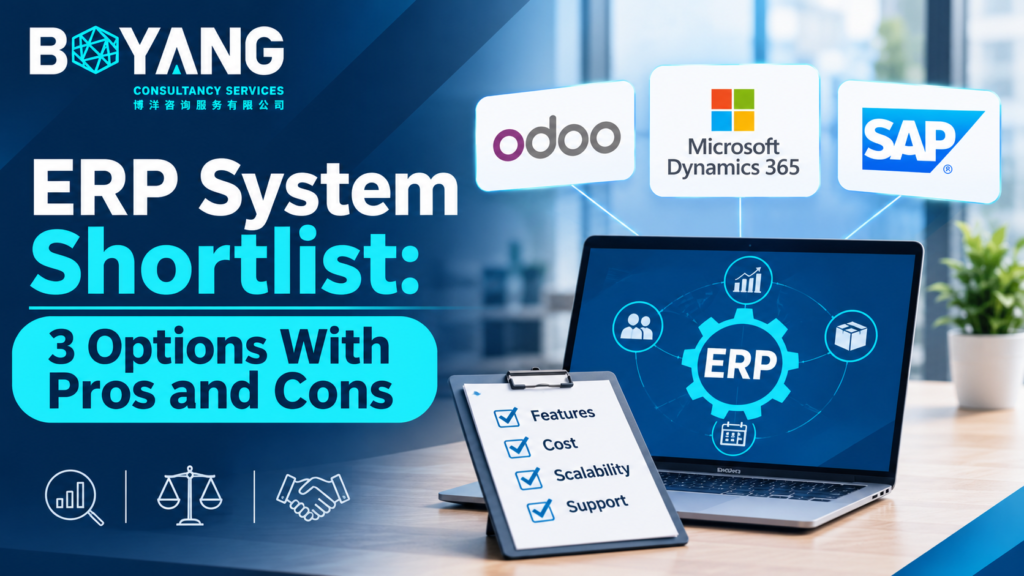
This ERP system shortlist compares three options: Odoo, Oracle NetSuite, and Microsoft Dynamics 365 Business Central. Each suits a different type of business. Read the pros and cons, then use the checklist at the end to pick.
What Is an ERP System?
ERP stands for enterprise resource planning. It is software that connects the core parts of your business. Sales sees stock levels. Finance sees orders. Purchasing sees demand. Your team works from one set of data instead of separate spreadsheets.
How These Three Made the List
- Proven use in small and mid-size businesses
- Modules for finance, inventory, sales, purchasing, and manufacturing
- Active vendor support and a strong partner network
- Room to grow as your company grows
1. Odoo
Best for: small and mid-size businesses that want flexibility and a lower cost.
Odoo is modular. You start with one app, such as accounting or inventory, and add more later. It comes in a free open source Community edition and a paid Enterprise edition. You choose cloud hosting or your own servers.
Pros
- Lower total cost than most rivals
- You pay only for the apps you use
- Wide app range: accounting, CRM, inventory, manufacturing, eCommerce, HR
- Modern interface your team learns fast
- Large partner network for custom work
Cons
- Community edition offers fewer features than Enterprise
- Heavy customization raises upgrade costs
- Results depend on the quality of your implementation partner
- Financial reporting is lighter than NetSuite for complex groups
2. Oracle NetSuite
Best for: growing companies with complex finances, several legal entities, or global operations.
NetSuite is a cloud-only platform from Oracle. It puts finance, inventory, order management, and CRM in a single system. It handles multiple subsidiaries and currencies well.
Pros
- Strong financial management and consolidation
- Built for multi-entity and multi-currency operations
- Real-time dashboards across departments
- No servers to maintain
- Scales as your revenue grows
Cons
- Higher cost than Odoo or Business Central
- Pricing is quote-based, so budgets are harder to predict
- Implementation takes longer
- Add-on modules raise the final price
- Long contracts reduce your freedom to switch
3. Microsoft Dynamics 365 Business Central
Best for: companies already working in Microsoft 365, Excel, Teams, and Power BI.
Business Central connects to the Microsoft tools your team already uses. You open a report in Excel or share data in Teams without extra setup. It runs in the cloud or on your own servers.
Pros
- Close integration with Microsoft 365 and Power BI
- Familiar look for Microsoft users
- Clear per-user pricing
- Automation through Power Automate and Power Apps
- Cloud and on-premises options
Cons
- Niche needs often require paid add-ons from AppSource
- Costs rise as you add users and move to higher tiers
- Manufacturing features are less deep than specialized systems
- You rely on a Microsoft partner for setup and support
Side-by-Side Comparison
| Factor | Odoo | NetSuite | Business Central |
|---|---|---|---|
| Best fit | Small to mid-size | Mid-size to large | Small to mid-size |
| Cost level | Low to medium | High | Medium |
| Deployment | Cloud or on-premises | Cloud only | Cloud or on-premises |
| Customization | Very flexible | Moderate | Moderate |
| Financial depth | Good | Excellent | Good |
| Microsoft integration | Limited | Limited | Excellent |
How to Choose the Right ERP
Follow these steps before you sign a contract.
- List your top five business problems. Examples: stock errors, slow month-end close, scattered customer data.
- Set a three-year budget. Include licenses, setup, training, and support.
- Count your users today and in three years.
- Check your existing tools. Microsoft users should test Business Central first.
- Ask each vendor for a demo with your own data.
- Request references from companies of your size and industry.
- Compare partners as closely as software. A good partner decides how smooth your rollout goes.
Quick Recommendations
- Choose Odoo if you want a flexible system at a lower cost.
- Choose NetSuite if you run several entities or sell across countries.
- Choose Business Central if your team lives in Microsoft 365.
Frequently Asked Questions
How much does an ERP system cost?
Cost depends on user count, modules, and setup work. Odoo usually costs least. NetSuite usually costs most. Always request a full quote that includes implementation and support.
How long does ERP implementation take?
Small projects take two to four months. Mid-size projects take six to twelve months. Complex rollouts take longer.
Is cloud ERP better than on-premises ERP?
Cloud ERP removes server costs and updates itself. On-premises gives you more control over data and hosting. Pick based on your security rules and IT staff.
Should a small business buy an ERP system?
Yes, once spreadsheets and separate tools slow your team down. Start with the modules you need most and add others later.
Final Step
Pick two systems from this list. Book demos using your real products, orders, and reports. Your team will tell you which one fits.